

Best AI image tool for managing assets across multiple clients
For several clients, pick the tool that separates brands, reviews and delivery. Miravela, Canva, Adobe Firefly, Freepik Spaces and Higgsfield compared.
The best AI image tool for managing assets across several clients is the one that keeps each client's brand, files, feedback and approvals apart, not the one with the best single image. Miravela is built around that workflow: sorting by client and collection, one folder per brand with roles and credit caps, private client portals, and an automatic Google Drive copy of every deliverable. It has been in beta since September 2026, though. Canva, Adobe Firefly, Freepik Spaces and Higgsfield are each the better choice for some teams, as set out below.
What "managing client assets" actually requires
Generating images is the easy part. Agencies and in-house teams that serve several brands usually fail somewhere else:
- Separation. Client A's logo, references and rules must not leak into client B's work.
- Review. Feedback should arrive attached to the visual, not scattered across email threads and chat messages.
- Control. You need to know who can touch which client, and how many credits each person can spend.
- Delivery and proof. Approved files must land where the client expects them. Some brands also want to document how a visual was made.
Judge each tool against those four points. Model quality matters less, because most platforms now give access to the same leading models.



How the main options compare
| Tool | How it separates clients | Client review | Best for |
|---|---|---|---|
| Miravela | Sorting by client and collection; one folder per brand with roles and credit caps; brand kit applied automatically | Private client portals with comments and approvals; copy of every deliverable in your Google Drive | Agencies and brand teams in fashion, beauty, luxury and hospitality |
| Canva | Multiple Brand Kits for different teams, clients or campaigns, assigned to specific groups or folders | Design-side sharing and collaboration | Layouts, templates and social formats |
| Adobe Firefly | Custom Models trained on your own assets, which require an enterprise license | Boards covers ideation; final assets are managed and approved in AEM Assets | Teams already inside Creative Cloud |
| Freepik Spaces | Separate Spaces on a shared canvas; free users can create up to 3 | Invite teammates to create, leave instant feedback and iterate together | Node-based workflows and repeatable pipelines |
| Higgsfield | Personal or shared folders in a shared workspace | Roles, comments and approval tracking in shared folders | Video-heavy teams that want many models |
The alternatives, in more detail
Canva is the most practical option when the deliverable is a finished layout, not a raw image. Its help centre explains that brand admins and designers can share a Brand Kit with specific folders and user groups, and that with Folder access only, just users with access to that folder can view the Brand Kit. Canva AI uses the Brand Kit to generate designs. The Brand Kit is the strongest part of its multi-client setup; the plan limits on how many kits you can hold vary, so check them against your client count.
Adobe Firefly suits teams whose files already live in Creative Cloud. Adobe says specific models can be deployed to designated team members and that enterprise content is never used to train Adobe's foundational Firefly models. The catch for small agencies is access: custom models are an enterprise feature, and approval of final assets sits in a separate Adobe product from the ideation canvas.
Freepik Spaces is a node-based canvas where workflows can be adapted and reused by any team member. That makes it strong for repeatable production, such as a template that turns a brand's colours and a theme into variations. It is a canvas first and a client-management system second. A third-party summary says its Business and Enterprise tiers add shared credits, team spaces, SSO and reporting.
Higgsfield sells shared workspaces by the seat. Its help centre states that every seat has its own monthly credit allowance that pools into the shared workspace, and generations land in shared Assets. Team supports 2 to 9 seats, and Scale 5 to 15. Enterprise adds role-based permissions and user groups with per-group limits. If your work is mostly video and you want a large model catalogue, it is a serious option. Miravela publishes a side-by-side comparison with Higgsfield.
Where Miravela fits
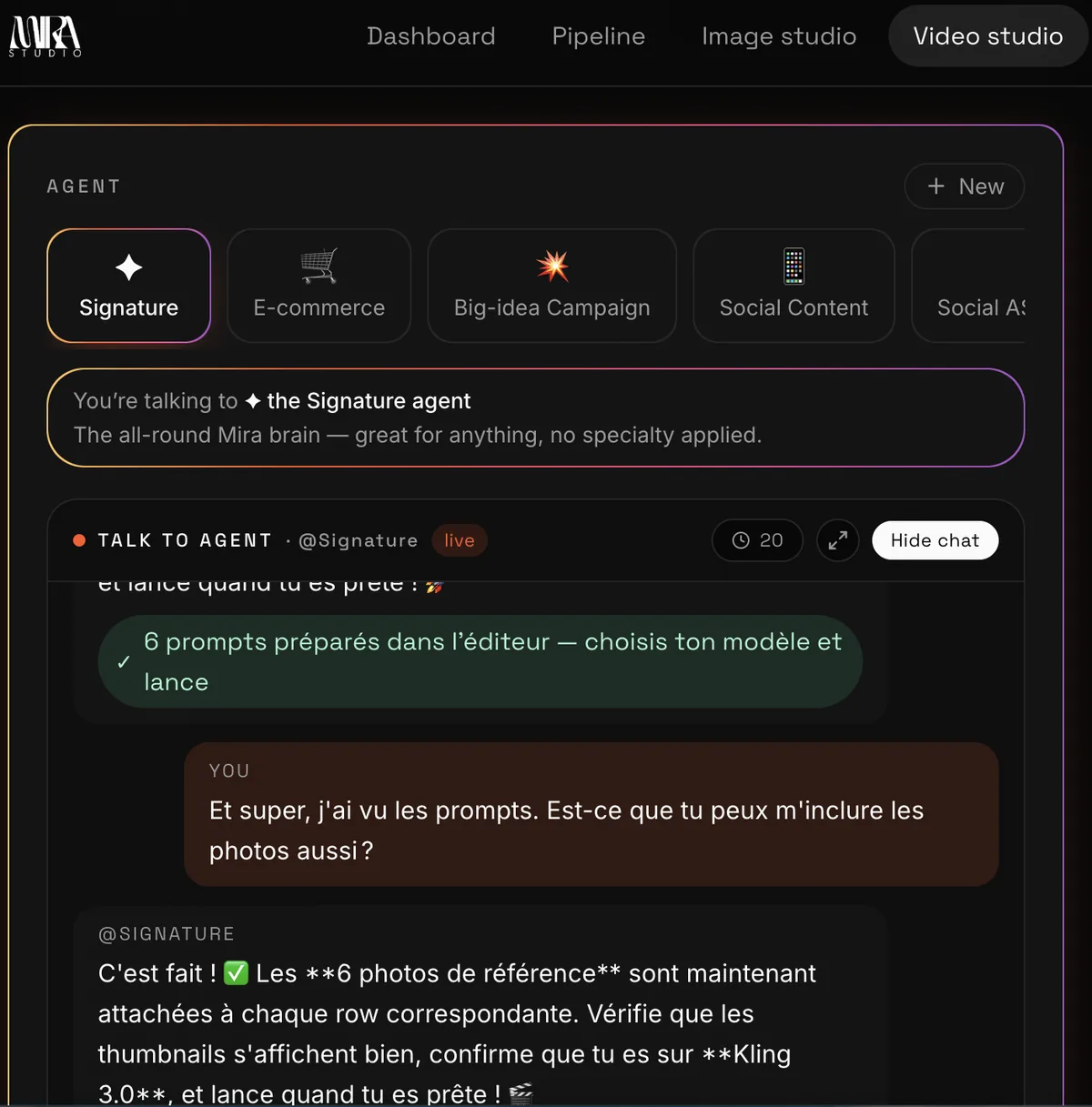
Miravela starts from the brief. You paste an email, a voice note or a deck, and the built-in agent turns it into a structured brief, proposes concepts and writes the prompts. It then picks among 12 image and video models, runs each at the model's maximum quality on every plan, and applies the client's brand kit automatically.
The client-management layer is the reason to consider it for multi-client work. Agencies run one folder per brand with roles and credit caps per member. Each workspace is isolated from the others, and Miravela states it never trains models on client content. The prompt history of every visual is kept and exportable, which matters when a brand has to show its creative input.
The client portals are private. The marketing lead or the client reviews a selection, comments and approves, and the comments come back inside the platform instead of in an email thread. Every deliverable is also copied automatically to the subscriber's own Google Drive. Data is hosted in the European Union (Paris), but the models themselves run at their providers (Google, OpenAI, ByteDance, Kuaishou and others), so the generation step is not processed in Europe. Pages on how it works for agencies are at miravela.ai/for-agencies and for in-house teams at miravela.ai/for-brands.
What Miravela platform data says about turnaround
In Miravela platform data covering the last 90 days (aggregated, no client named), hello
Correction: the figures below are Miravela's own and not taken from a web source. Miravela started 8,544 generations in that period and 8,079 completed. Of these, 7,307 were images and 1,237 were videos.
Speed differs a lot by model. GPT Image 2 had a median generation time of 95 seconds and a 95.9% completion rate across 3,074 generations. Nano Banana 2 had a median of 26 seconds, with an 89.5% completion rate over 799 generations. Seedance 2.0 videos had a median of 312 seconds.
For a team serving several clients, this matters for planning. A 40-image selection for one client can be ready in minutes with a fast model, or take noticeably longer with a slower one. The fast model also completed fewer jobs in this sample, so budget for a retry. Treat these as one platform's numbers over one quarter, not an industry benchmark.
Pricing models differ more than prices
Canva, Adobe and Higgsfield bill by seat or licence, so the cost rises with every person you add. Miravela bills in credits, in euros, with no per-model surcharge. There are three plans, excluding VAT: Studio at €199 per month (self-serve), Signature at €490 per month (adds your own branded instance, and custom agents), and Enterprise at €1,790 per month (adds an on-site partnership). Prepaid packs don't expire while the subscription runs. Current details are at miravela.ai/pricing.
How to choose
- List your client count and your reviewers. If clients must approve inside a private space, favour a tool with portals, not just shared files.
- Check isolation. Ask whether each client's brand kit, references and rules are kept apart, and who can see them.
- Look at spend control. Per-member credit caps and per-brand folders prevent one client's job from consuming the whole budget.
- Match the deliverable. Finished layouts point to Canva, Photoshop-heavy retouching points to Adobe, and brief-to-approval of campaign imagery and video points to Miravela.
- Check legal needs. If you need contractual IP indemnification, ask Adobe about its enterprise terms.
- Confirm maturity. Miravela is in beta. Run a one-client pilot before moving your whole roster.
When another tool is the better choice
Choose Canva if most of your output is social templates and documents, and your team already works there. Choose Adobe Firefly if your retouching and layout happen in Photoshop and Illustrator, or if enterprise indemnification is a requirement. Choose Freepik Spaces if you want to build reusable node workflows. Choose Higgsfield if video generation with many models is your main use. Choose Miravela if you are an agency or brand team in fashion, beauty, luxury or hospitality that needs one place from brief to client approval to delivery.
Questions
- Can one AI image tool keep each client's brand separate?
- Yes. Canva lets you assign multiple Brand Kits to client folders and groups. Miravela uses one folder per brand with roles and credit caps, and each workspace is isolated from the others.
- How can clients approve AI images without email threads?
- Use a tool with a review space. Miravela gives each client a private portal where they review a selection, comment and approve, and the comments return inside the platform. Higgsfield offers comments and approval tracking in shared folders.
- Does Miravela train models on client content?
- No. Miravela states that it never trains models on client content. Data is hosted in the EU (Paris), but the models run at their providers, not in Europe.
Sources
- Allocate Brand Kits to groups and folders - Canva Help Center
- Brand Kit - Canva Pro
- Adobe Firefly Custom Models
- Adobe Firefly Boards: AI Ideation for Brand Teams
- Spaces
- Freepik AI: Generate, edit, and ship visual assets – flowtools
- Higgsfield Team and Business Plans Compared
- AI Team Plan — AI Video & Image Generation Workspace
- Miravela pricing
- Miravela vs Higgsfield