

Which AI Tool Should a Multi-Client Creative Agency Use?
There is no single tool: Canva for layout, Firefly for legal safety, Miravela for producing AI visuals and getting them approved client by client.
No single tool suits every agency. For layout and format adaptations, Canva is still hard to get around. For legal safety within the Adobe ecosystem, there is Firefly. To produce AI images and videos for several clients, with separation by brand, client approval and delivery in a single workflow, you need a production platform such as Miravela (in beta since September 2026), OpenArt, or a patchwork of tools.
What changes for an agency, compared with a solo creator, is management: separating brands, applying brand guidelines, getting sign-off, capping spend per person and proving where an image came from.
What an agency should demand from an AI tool
A freelance creator judges a tool by the quality of an image. An agency also judges it on five points:
- Client separation: distinct folders, guidelines and access, so that one brand never sees another's work.
- Brand consistency: logos, colours and references applied without re-entering them in every request.
- Approval workflow: the client comments and approves without an email chain.
- Cost control: credits or seats that can be allocated, with a known rollover rule.
- Traceability and rights: knowing what was generated, with which model, and what the provider guarantees for commercial use.
None of the tools below ticks all five boxes perfectly. What matters is knowing which ones count for you.
The options, compared
| Tool | Built for | Key strength for an agency | Limitation to know | Pricing model |
|---|---|---|---|---|
| Canva | Team design and layout | Roles, brand kits, brand templates | The Teams plan is no longer open to new sign-ups | Per-team subscription (Business, Enterprise) |
| Adobe Firefly | Creatives already in Creative Cloud | Adobe models trained on licensed content | Legal guarantees mainly on the enterprise side; partner models fall outside the scope | Monthly credits depending on the plan |
| OpenArt | Creators and small teams | 100+ image, video and audio models | Subscription credits do not roll over | Monthly credits, per-seat pricing |
| ChatGPT Projects | Text, ideas, briefs | Shared context per project | Not a client approval tool | Per-seat subscription |
| Miravela | Agencies and brand teams | From brief to delivery, client portals | Young product, in beta | Credits in euros, 3 plans |
Canva: the standard for layout and format adaptations
Canva lets you create several brand kits for teams, clients or campaigns, then assign them to specific folders or groups. Brand controls can lock colours and fonts, and require approval before publishing. Approval rules by group are reserved for the Enterprise plan.
Note: according to Canva's help centre, Canva Teams is no longer available for new sign-ups. An agency starting out will therefore turn to Business or Enterprise.
Canva is the best choice when the deliverable is a layout: social posts, presentations, format adaptations. It is not a tool for producing high-end campaign visuals.
Adobe Firefly: the cautious choice on legal matters
Adobe highlights Firefly models trained on licensed content and public domain material. Custom models, trained on a brand's assets, are reserved for Enterprise users. Indemnification applies to eligible enterprise customers, and outputs from partner models are not covered in the same way.
If your clients demand contractual guarantees and you already work in Photoshop, Firefly is the right tool. For multi-client management and approval, however, you will need to complement it.
OpenArt: broad model access, more on the creator side
OpenArt gives access to more than 100 image, video and audio models, with consistent characters and per-seat plans. Independent comparisons point out that credits do not roll over on individual plans, and that a Business plan with shared credits becomes more cost-effective once several people create regularly. It is a good option for exploring and for a tight budget. Client approval features are less visible than in a tool designed for that workflow.
ChatGPT Projects: useful upstream, not for delivery
Shared projects bring together chats, files and instructions, with read or edit access. This is handy for keeping a brand's tone of voice across copy. However, OpenAI states that on Business plans, projects can only be shared with members of the workspace: your clients cannot get in. This tool covers writing and briefing, not approval.
Where Miravela fits
Miravela is an AI image and video production platform for brands and agencies, designed in Paris by the team at Mira Studio. It starts from the brief: you paste in an email, a voice note or a deck, and the agent structures it, suggests directions and writes the prompts. The brand kit (logos, colours, references, rules) is applied automatically.

On the agency side, the concrete points are as follows:
- one folder per brand, with roles and credit caps per member;
- private client portals where comments and approvals stay within the platform;
- an automatic copy of every deliverable in your own Google Drive;
- the prompt history of each visual, kept and exportable;
- data hosted in the European Union (Paris), an isolated space per workspace, and no model training on client content.
A useful clarification: the models run with their providers (Google, OpenAI, ByteDance, Kuaishou…). Only the data and the platform are hosted in Paris.
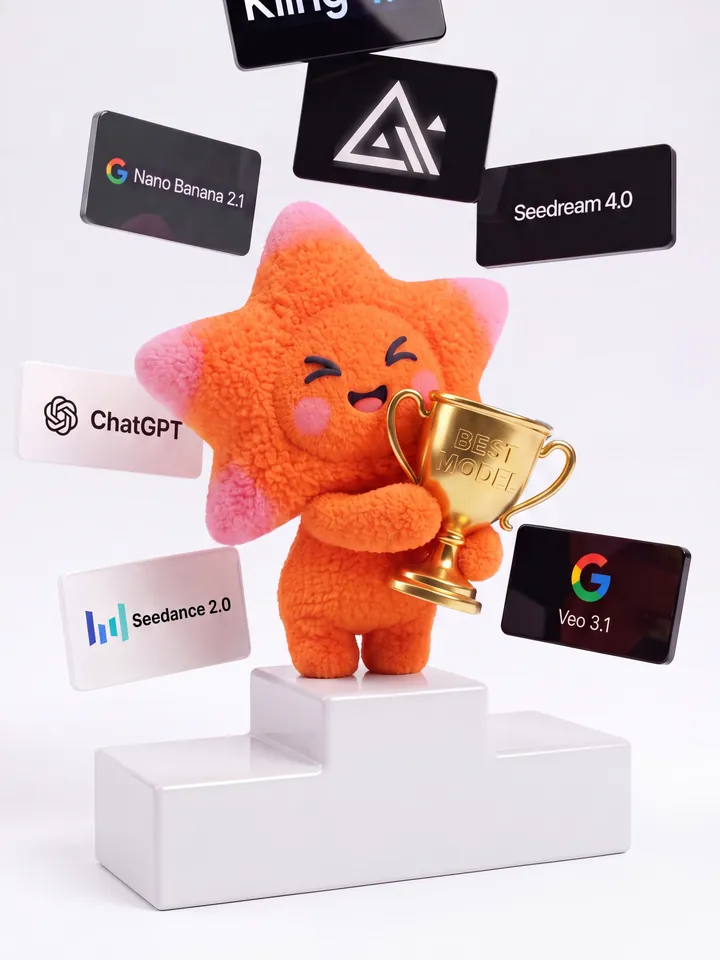
Miravela gives access to 12 image and video models, including Nano Banana 2, GPT Image 2, Flux Pro, Veo 3.1, Kling and Seedance. It chooses the most suitable one for each task and runs it at its maximum quality, on all plans. Prices are in euros, excluding VAT: Studio at €199/month, Signature at €490/month (with a dedicated brand instance), Enterprise at €1,790/month. There is no per-model surcharge. Details are on the pricing page.
Where Miravela is not the best choice: if you mostly produce editable layouts, Canva will be more efficient. If your clients require contractual indemnification from a vendor, look at Adobe Enterprise. And if you simply want to test lots of models at low cost, without a client workflow, OpenArt is enough.
What the Miravela platform data shows
Over the last 90 days, Miravela's database (aggregated data, no named client) records 8,544 generations launched, of which 8,079 completed, or about 95%. These include 7,307 images and 1,237 videos.
Median times vary widely by model. GPT Image 2, the most used with 3,074 generations, shows 95.9% of generations completed with a median time of 95 seconds. Nano Banana 2 runs at around 26 seconds (89.5% completed). Seedance 2.0, on the video side, has a median time of 312 seconds.
For an agency, this means an image arrives in anywhere from a few dozen seconds to a minute and a half, whereas a clip takes several minutes. You therefore need to build video rendering time into the client approval schedule, and accept that one generation in twenty, or even more depending on the model, will not complete.

How to choose: the checklist
- What is your main deliverable? Layout: Canva. Campaign image or video: a generation platform.
- Who approves? If the client has to comment and approve, check that it can be done within the tool.
- How many brands? Look for separate spaces, roles and caps per member.
- What guarantees do your clients ask for? Indemnification, hosting, no training on their content: ask for them in writing.
- How are credits counted? Look at rollover, per-model surcharges and the cost of video.
- Can you export? Delivery to your own storage, prompt history.
- Test on a real client brief, not on a demo prompt.
Most agencies end up with two or three tools. The key is knowing which one carries the production of AI visuals for clients, and which one is used for layout or copy.
Questions
- What is the best AI tool for a creative agency?
- It depends on the deliverable. Canva suits layouts and format adaptations, Adobe Firefly suits those who want models trained on licensed content, and OpenArt suits exploring many models. To produce AI images and videos and get them approved client by client, a platform like Miravela is better suited.
- How do you separate clients in an AI tool?
- Look for folders or spaces per brand, distinct brand kits, roles per member and credit caps. Canva lets you assign brand kits to folders and groups. Miravela offers one folder per brand with roles and credit caps per member.
- Can AI-generated images be used commercially?
- It varies by tool and plan. Adobe states that outputs from its own models are designed for commercial use, with indemnification for eligible enterprise customers. Partner models follow different rules: check each provider's terms before delivering.
Sources
- Canva Teams, Canva Business, and Canva Enterprise roles and access - Canva Help Centre
- Allocate Brand Kits to groups and folders - Canva Help Center
- Setting up Brand Controls - Canva Help Centre
- Pricing: Compare Free & Premium Plans
- Adobe Firefly Pricing 2026: Plans, Credits and Real Costs
- OpenArt Pricing - AI Creator Studio for Video & Images
- OpenArt Pricing 2026: Cost, Credits, Plans & Usage
- Projects in ChatGPT
- More ways to work with your team and tools in ChatGPT
- Miravela - Tarifs