

How to produce a full fashion campaign with AI in under 30 minutes
Learn how to produce a full fashion campaign with AI in under 30 minutes: what to prepare first, a five-step time budget, and where the schedule usually slips.
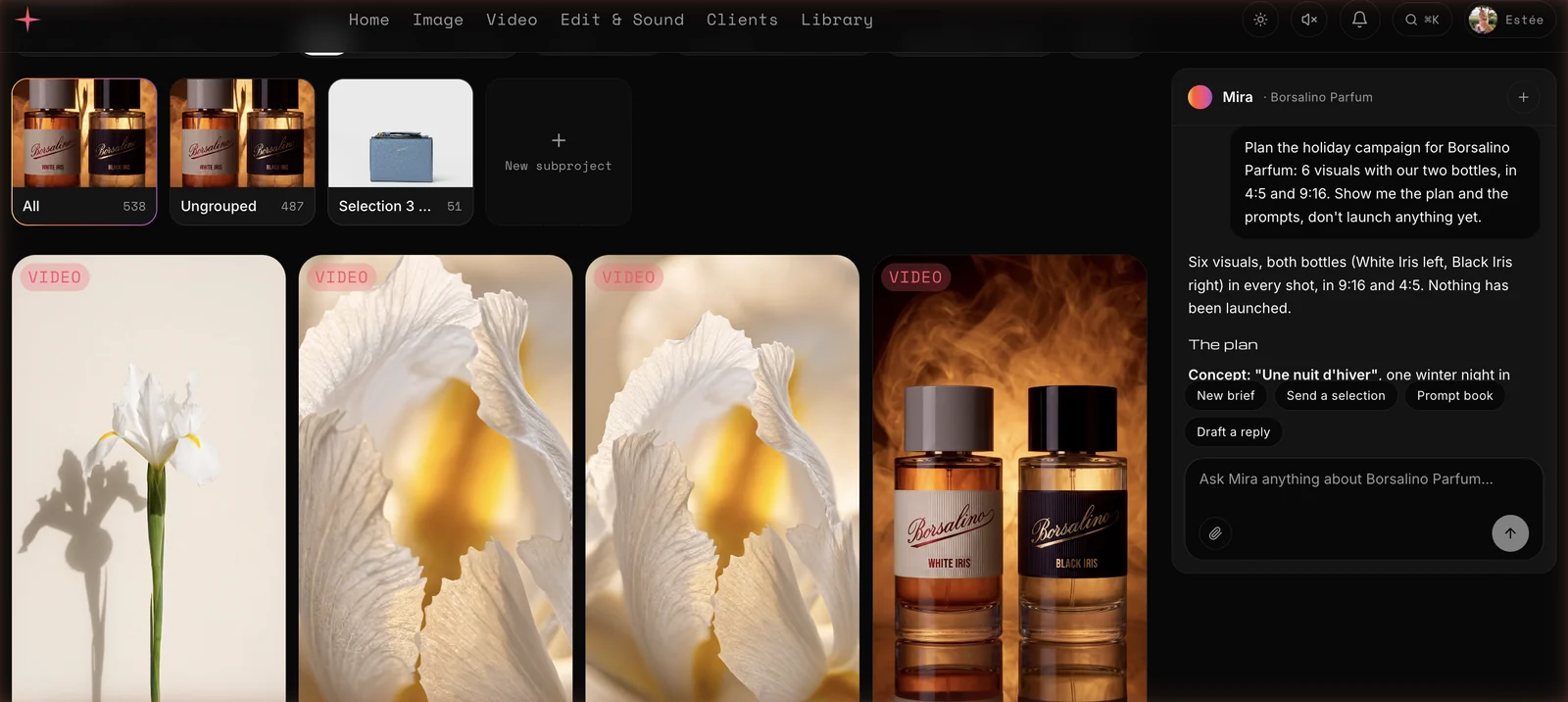
You can produce a fashion campaign with AI in under 30 minutes if the preparation is done before the clock starts: a brand kit, approved product photos and a clear brief. The 30 minutes then cover five steps: structure the brief, draft concepts, generate with the right model for each shot, select, and send for client review. The client's own approval time sits on top of that, and you should plan for it separately.
The timings below come from a worked scenario, not a stopwatch record. It is a budget you can test against your own job.
The job and what must exist before the clock starts
The scenario: a fashion brand sends an email asking for a spring capsule campaign. The deliverables are six stills in 4:5 and 9:16, plus two short videos for social. The brief mentions a tone ("soft daylight, unposed"), a palette and two hero pieces: a trench coat and a knit.
Three things must be ready before minute zero.
- A brand kit. Logo, palette, typography and tone, stored once so every generation starts on-brand rather than being corrected afterwards.
- Approved photos of the real garments. AI is good at mood and setting. It is weaker at the exact cut of a lapel or the stitch of a knit, so anchor generations on your real product photos and compare every result to the garment at full size.
- A named person who signs off on final images. Speed does not remove accountability. Someone on your team looks at every visual before it reaches the client.
If you are starting from zero, add an hour for setup. After that, it carries over to every campaign.
The 30-minute time budget
Here is how the half hour breaks down.
| Step | Target time |
|---|---|
| Structure the brief | 3 min |
| Concepts and prompts | 5 min |
| Generation | 10 min |
| Selection and formats | 5 min |
| Client portal set-up and send | 3 min |
| Delivery after approval | 1 min |
| Total (excluding client review) | 27 min |
The 3 minutes of slack matter. Video generation is usually the slowest step, and a first round is rarely perfect. Treat the budget as a target, not a guarantee.
Minutes 0–3: turn the email into a brief
Most campaign delays start here. The client's request lives in an email thread, a voice note and a PDF, and someone has to turn it into something a team can execute.
Paste the email into the tool and ask for a structured brief: objective, deliverables, formats, references, deadline, constraints. Check three things: the number of deliverables, the formats and the deadline. Fix anything the client left ambiguous now, because a wrong format discovered at minute 25 costs more than a clarifying line at minute 2.
Minutes 3–8: concepts and prompts
Don't write six unrelated prompts. Write two or three concepts, then derive the shots from them. For this capsule:
- Concept A, "Morning street": the trench coat in soft overcast daylight, a quiet city corner, candid framing.
- Concept B, "Interior calm": the knit in a sunlit room, close crops, texture first.
- Concept C, "Movement": the trench coat in motion, for the two videos.
For each shot, a good prompt names the garment, the light, the framing, the lens feel and the mood. Change one variable at a time between versions. If you change the model, the pose and the lighting together, you will not know what improved the result.
Minutes 8–18: generate with the right model for each shot
This is where choosing the model per job pays off. No single model is best at everything, so match the model to the shot.
- Nano Banana 2 for the editorial stills: fashion realism, skin, fabric and film grain.
- MAI Image 2.5 where the face must hold up to zoom.
- Flux Pro for product precision, such as a tight detail of a button or a seam.
- Kling for the trench coat in motion: fabric, walking, energy.
- Hailuo for a close-up beauty or expression shot.
Run a small batch per shot rather than one try. For six stills and two videos, generate several options of each, then select. Check the cost before you launch anything. Generation spends credits, so look at the total for the batch first.
Minutes 18–23: select and prepare formats
Selection is a human job. Go through the batch with the real garment photo open beside it and reject anything where the collar, length, closure or fabric drifts from the product. Keep one or two strong options per shot, not ten.
Then handle formats. Instead of regenerating, take each approved still and reframe it to 4:5 and 9:16. Where a hero image will go large, upscale it to 4K. Do this after selection, not before, so you never spend effort on images you will throw away.
Minutes 23–27: send for client review
Share the selection through a private review link, not a Drive folder or an email with attachments. The client should see only the visuals meant for them, with no prompts, no internal credits and no other clients' work. They comment directly on each visual and approve what they like. The 30 minutes end when that link is sent. The client's reply time is theirs.
How this runs on Miravela
Miravela Pro is built around this exact sequence, with Mira, its AI agent, running the studio alongside your team. Here is the same job on the platform.
- Brief. Paste the client email, or dictate it: in any text field, hold Control and speak, and French or English is detected automatically. Mira turns it into a structured brief.
- Agent. Mira helps you draft the concepts and gets the prompts ready for the Image and Video studios. She can also find the brand's logo and file the visuals under the right client.
- Generation. The platform picks the best model for each job from every image and video model on one subscription, all at maximum quality, with the brand kit applied automatically. Mira can launch a generation, but she always shows the cost first and runs it only when you click.
- Selection. Review in the Image and Video studios. Use Reframe to take one image to every format, and Upscale 4K on the heroes.
- Client portal. Mira prepares a private review link. The client sees only the shared selection, comments on visuals and approves. Their comments come back inside the platform.
- Delivery. Download the files, take a ZIP, or let the approved visuals copy automatically to your Google Drive.
Teams that already work in Claude can also use Miravela's MCP connector. A team member adds a personal link as a custom connector, then lists clients and models, launches generations with brand kits applied and checks results, within their own role and credit limit.
Credits make the budget predictable. The Studio plan includes 2,400 generation credits a month on the current launch offer, and you can top up with credit packs at any time. Full details are on the pricing page.
Where Miravela is modest
Miravela runs twelve hand-picked models, not fifty. It has no node canvas for building custom pipelines, and it does not train custom models on your assets. If your workflow depends on any of those, say so before you choose. What it offers instead is a tighter path from brief to client approval and delivery. You can see the platform at miravela.ai.
Where the 30 minutes can slip
Four things usually eat the budget.
- A vague brief. If the deliverables or formats are unclear at minute 3, every later step multiplies the error.
- Too many variables per iteration. Changing model, pose and light at once makes iterations slow and results hard to read.
- Video expectations. Motion is harder than stills. Limit camera movement and keep clips short. Build the two videos from approved stills rather than from text alone.
- Skipping the garment check. A beautiful image of a coat that is the wrong length costs far more time in the client round than a careful check at minute 20.
Fashion is also a field where audiences notice fakery. Pick a deliberate style, keep people accountable for every final image, and label AI-generated work where your brand or local rules require it.
FAQ
Can AI really produce a full fashion campaign in 30 minutes?
For a defined scope, yes. A capsule of around six stills and two short videos, built from a clear brief and approved product photos, fits a 30-minute production window. That window ends when the review link goes out, and client feedback and revisions come after. Larger or more complex campaigns take longer, and you should plan for rounds of selection and correction.
How do I keep the garments accurate in AI fashion images?
Start from approved photos of the real pieces and use them as references. Change one thing at a time between generations, and compare every result with the real garment at full size, checking collar, closures, length and fabric. Use a model suited to product precision for close detail shots. A human must approve each final image before it goes to the client.
What should I prepare before starting a campaign with AI?
You need three things: a brand kit with logo, palette and tone, clean photos of the products, and a named person who signs off on the final visuals. It also helps to settle formats and deliverables with the client before generating anything. With those ready, the production steps are quick, and without them the time goes into fixing problems later.